 Pedro Queiroz
01Context and problem
The work of someone who builds software and serves clients is spread across many tools: VS Code, terminal, Explorer, GitHub, WhatsApp, calendar, notes and an AI chat in another window. Constant context switching costs attention, and important information (what is pending in each project, which client needs maintenance) ends up scattered.
02Goal
Build a single app that orchestrates the tools people already use instead of trying to replace them, with three requirements:
- Everything local: database on the user's PC, no account required.
- Safe when touching files, running commands and storing tokens.
- Useful AI in the workflow, but nothing runs without permission.
03Solution
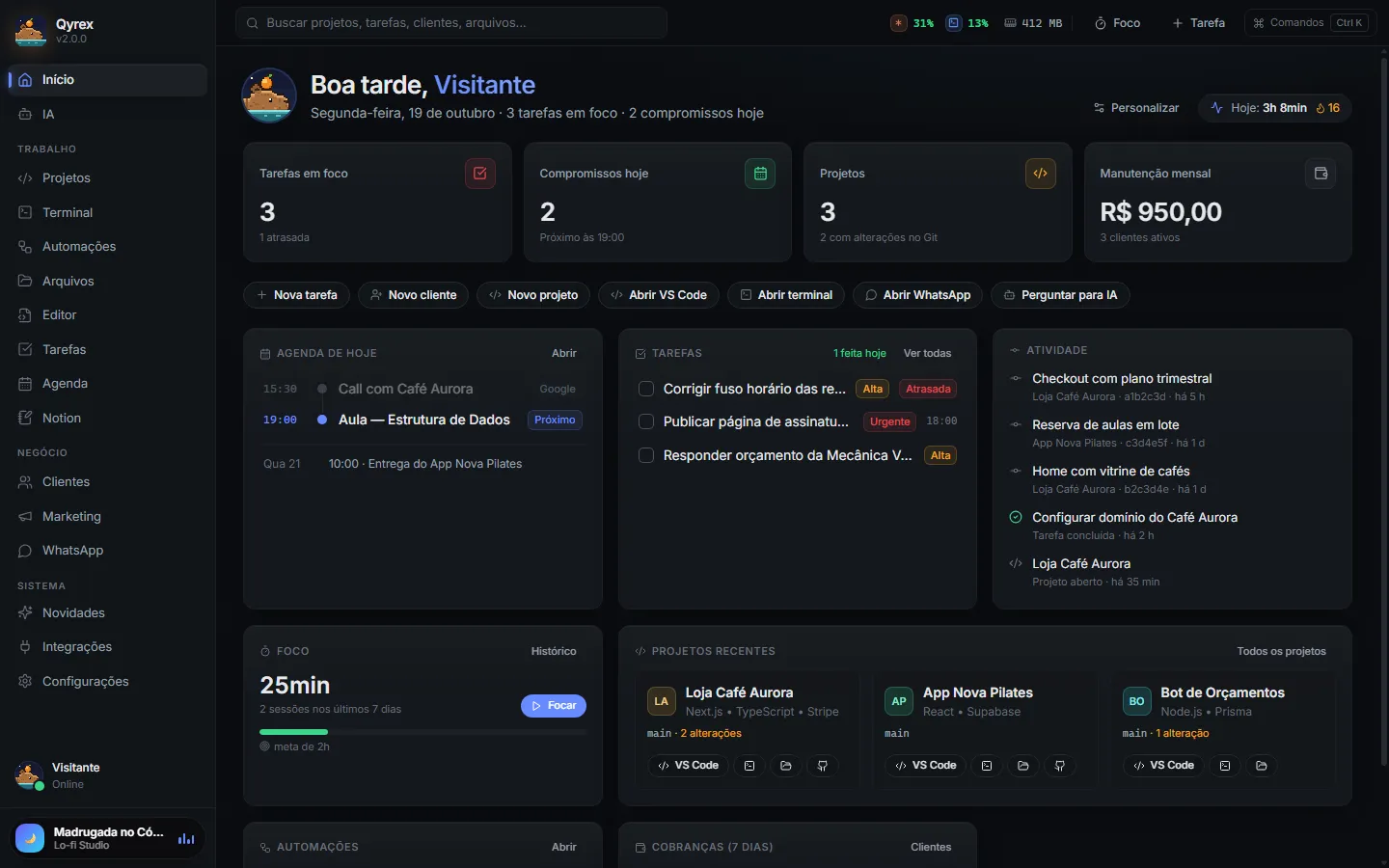
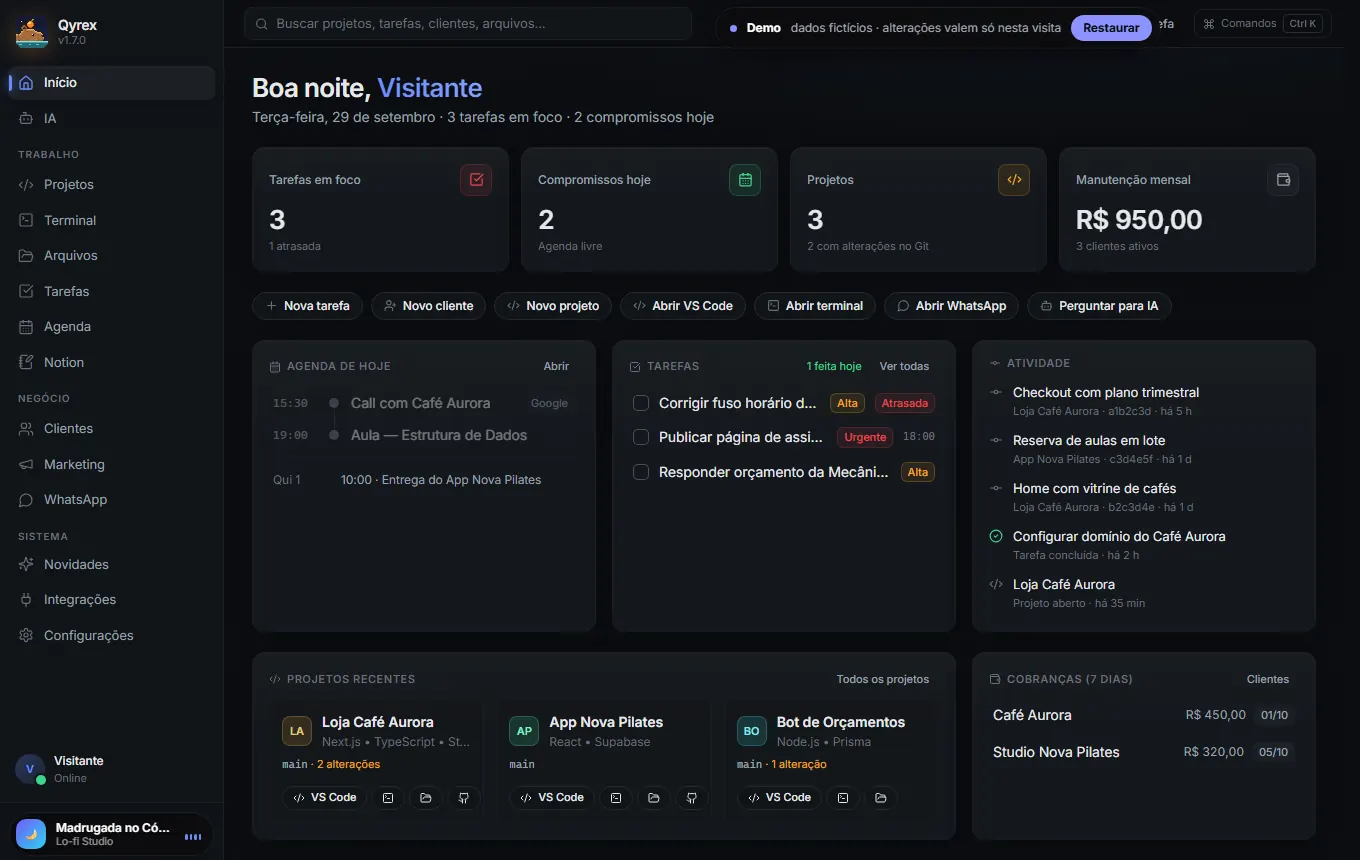
An Electron desktop app with integrated modules: a customizable Home, Projects (Git status, VS Code and terminal one click away), visual Git, a tabbed Terminal, Automations, Tasks, Calendar, Clients, Marketing and a chat with Claude, OpenAI and Gemini that suggests runnable commands behind a confirmation.
The web demo included in this portfolio uses the app's real interface with mocked APIs and fictional data, produced by a dedicated build configuration (vite.demo.config.ts).
04My role
A personal project I led from idea to release: feature definition, multi-process architecture, interface, integrations, tests, installer with auto-update, the product website and the pixel art (the mascot is drawn in code, in site/pixel/pixel.mjs). I used AI tools (Claude Code and Codex) to support implementation and code review.
05Technologies and architecture
The app follows Electron's process model with an isolated renderer. The interface never touches Node.js directly: every operation goes through a single API exposed by the preload script.
06Key features
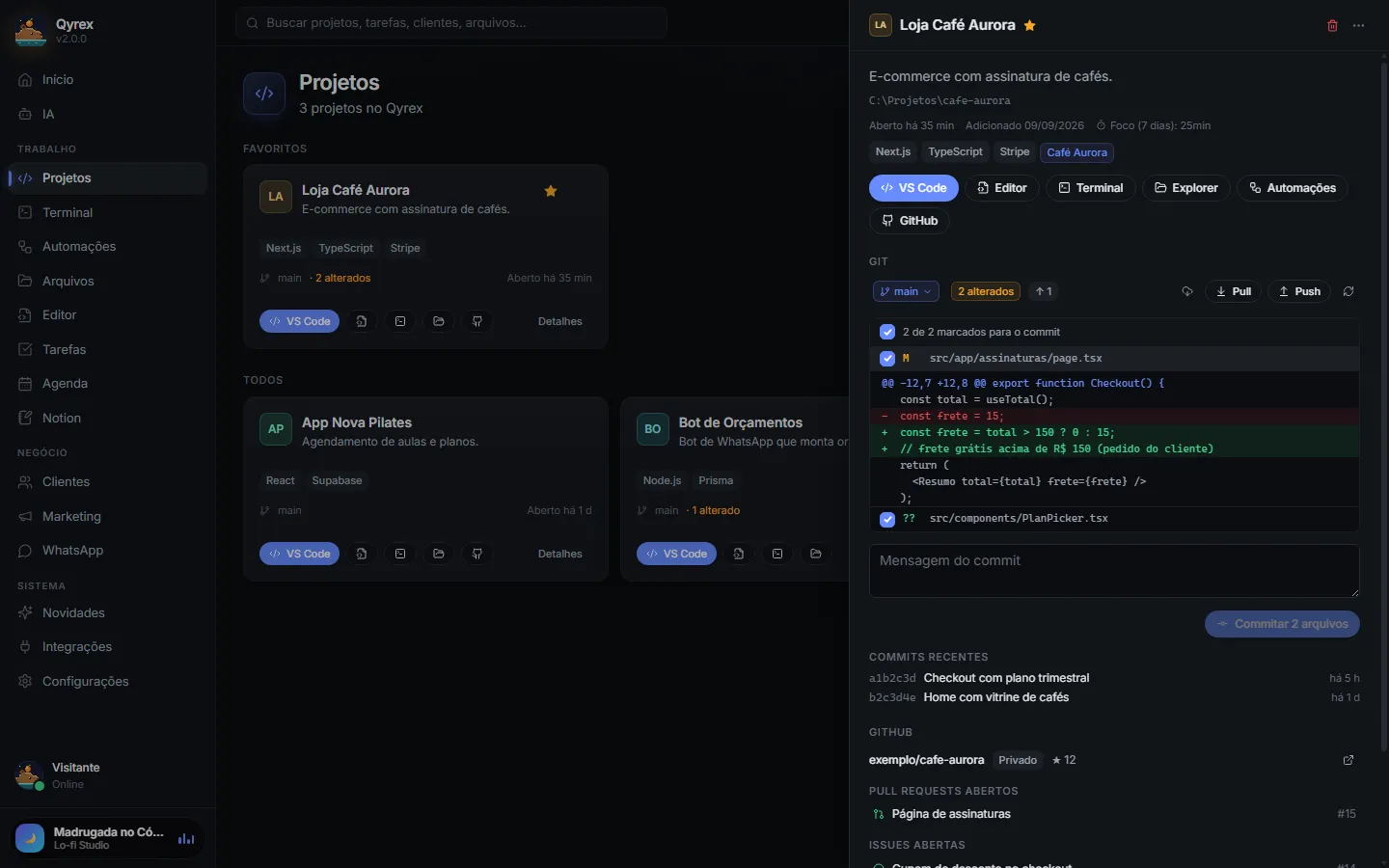
- Projects and visual Git: technologies detected from
package.json, per-file diff, commit only what you select, branch switching blocked with pending changes and push never with--force. - Terminal: xterm.js + node-pty with tabs or grid, opening PowerShell, CMD, Claude Code or Codex in the project folder.
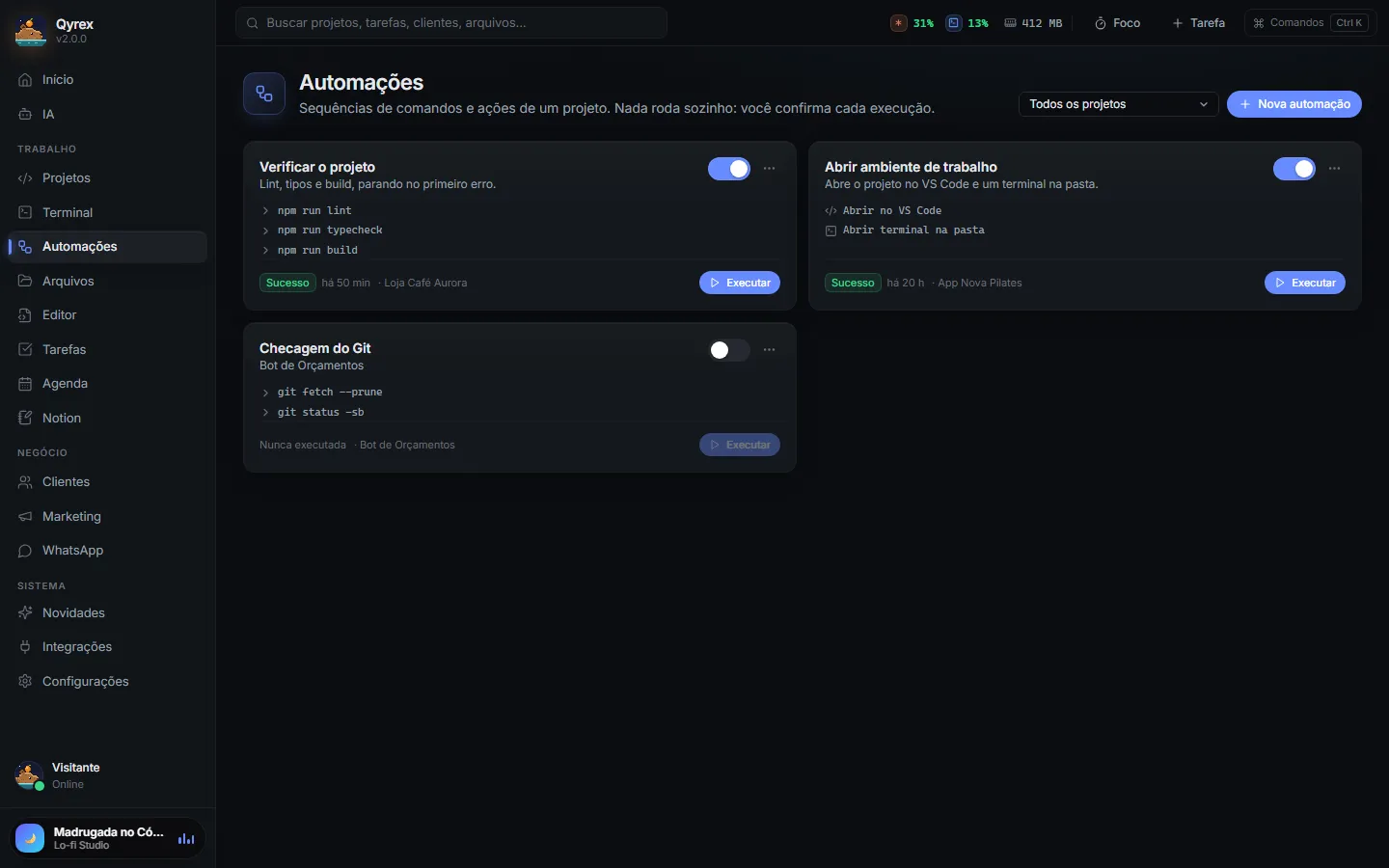
- Automations: sequences of tests, lint and build with confirmation and a risk label for each command.
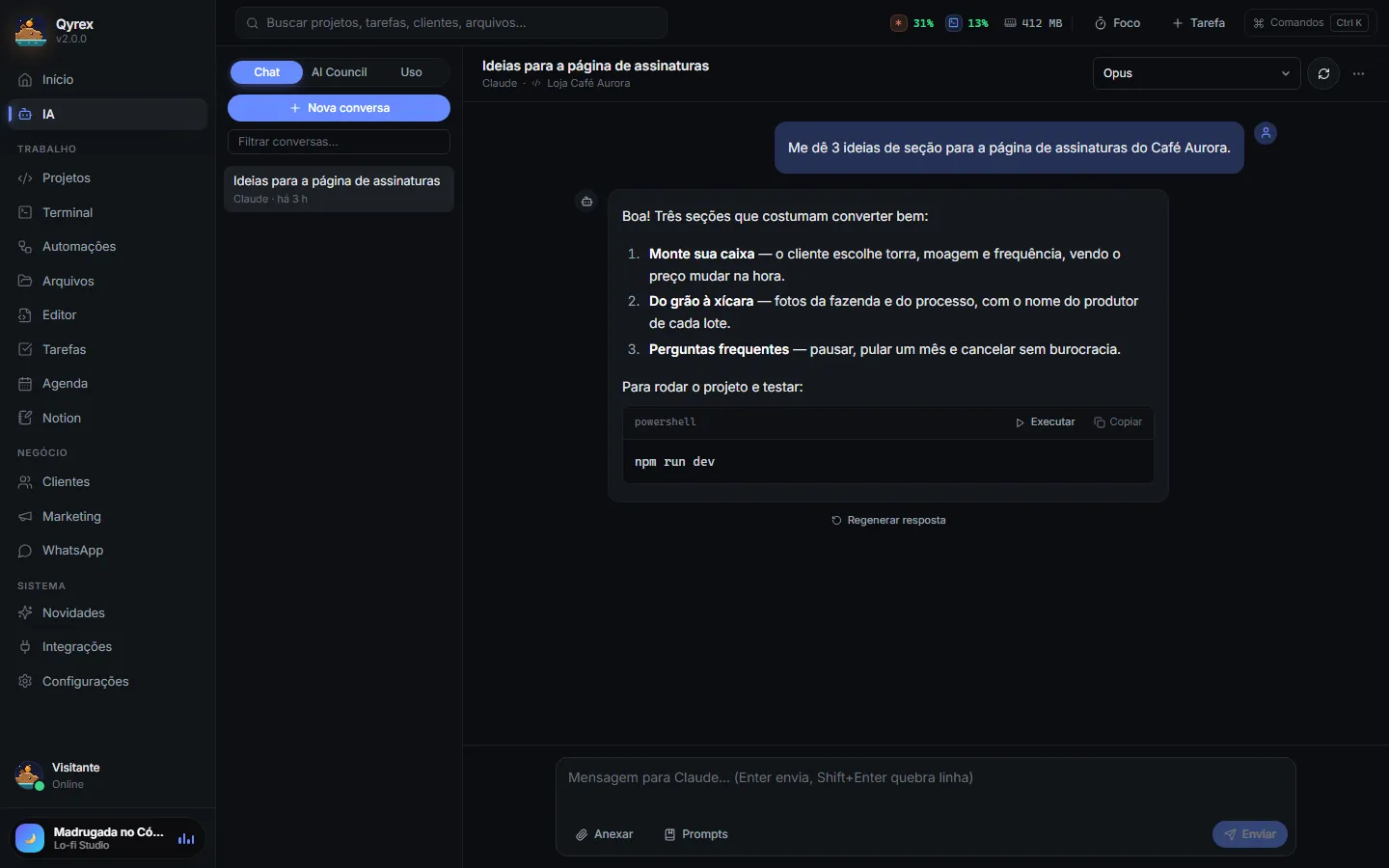
- AI: chat with several models, explicit attachments, reusable prompts and the “AI Council”, which asks several models and produces a synthesis.
- Backup and sync: verified local backup and sync between PCs through a cloud folder, encrypted with the user's password.
- Management: tasks as a list or kanban, calendar with Google Calendar, clients with monthly maintenance and a marketing board.
07Technical challenges and solutions
Letting the AI suggest commands without opening a hole
Solution: the AI never runs anything on its own. Each suggested command goes through a dialog with its risk level, and dangerous ones can never be set to “always allow”. Processes run with spawn, arguments as an array and shell: false, so user input never becomes part of a command.
File access without exposing the whole disk
Solution: the app only reads or changes files in folders authorized during onboarding. Paths are resolved handling .., symlinks and junctions, and the disk root, system folders and the entire home folder cannot be authorized.
Storing tokens for several integrations
Solution: secrets live only in the Windows vault (safeStorage/DPAPI), never in the database, the UI or the logs, which are automatically redacted. Backups and sync never include keys, and the cloud copy is encrypted with AES-256-GCM.
Updating the app safely
Solution: updates come from a fixed HTTPS source, with a SHA-512 check and no downgrades, and a backup is taken before every update.
Testing an Electron app end to end
Solution: Vitest tests running inside Electron (security, database, IPC, files and integrations), an E2E run through the interface with mocked APIs, and an npm run check that combines typecheck, warning-free lint and tests.
08Screenshots and demo
Screenshots of the real interface, generated from the demo with fictional data (interface in Portuguese). The demo can also be opened above.
09Lessons learned and next steps
Qyrex required treating security as a requirement from day one: process isolation, validation at every IPC boundary and the rule that no sensitive action happens without confirmation. It also covered the full life cycle of a desktop product: installer, data migration between versions (the app used to be called QrzSpace) and auto-update.
Roadmap
- Integration with the official WhatsApp Cloud API for payment reminders.
- Creating and editing Google Calendar events from the app.
- Cross-module automations, such as creating a task when content is published.
- Code signing for the installer, which can currently trigger a SmartScreen warning.